Asana is a work management tool for teams. People use it to assign tasks, set due dates and follow work across many projects.
The free Personal plan covers up to two users. It shows work as a list, a board or a calendar. Timeline, Gantt and task dependencies need the Starter plan or above.
Critical path needs the Advanced plan. Forms, rules and a workflow builder come with paid plans.
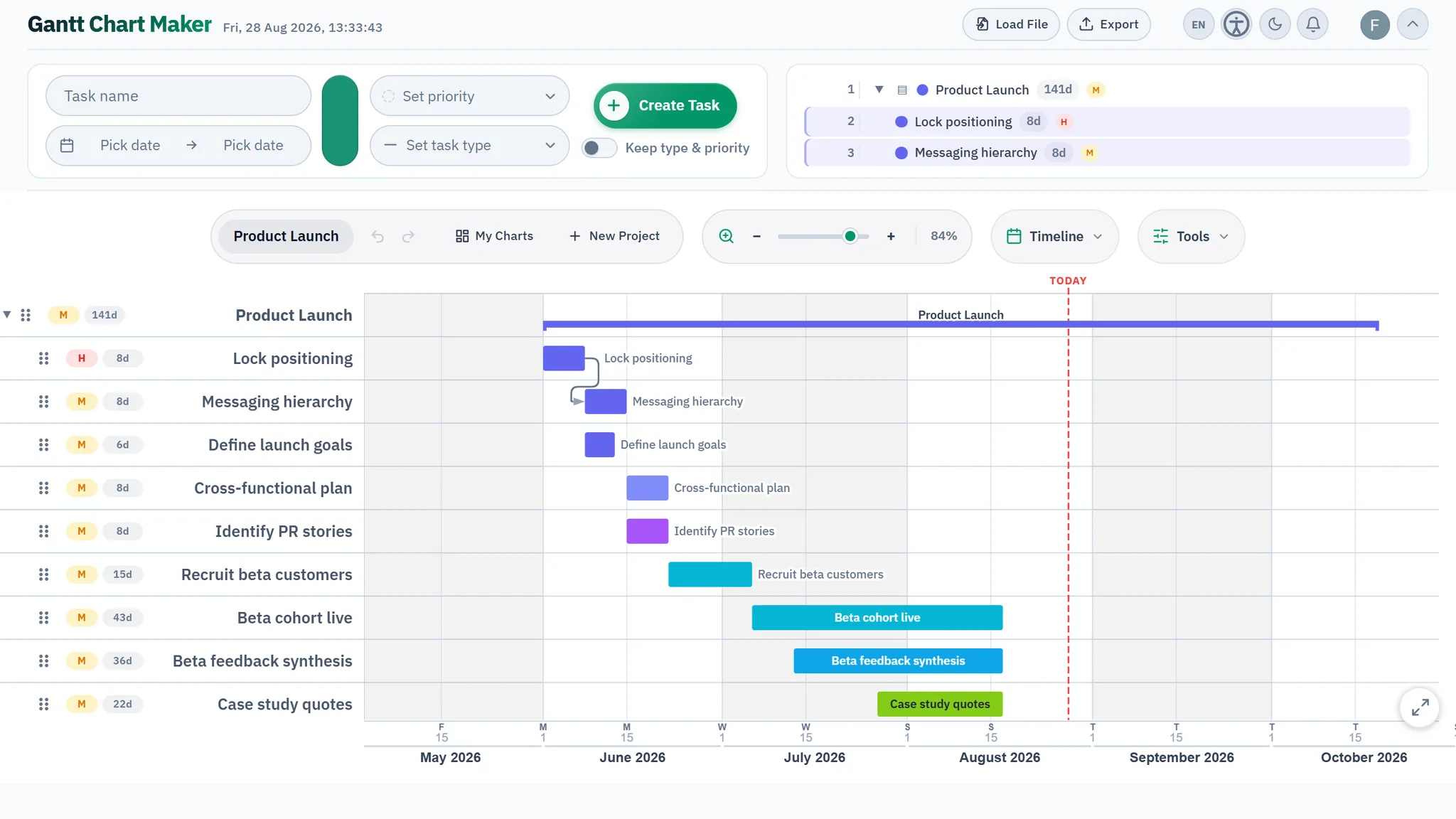
Gantt Chart Maker does one job, and it is free. You can build a chart without an account.
It does not assign tasks to people, run rules or collect forms. The whole app serves the Gantt chart.
Side by side
| Feature | Gantt Chart Maker | Asana |
|---|---|---|
| Price | Free, every feature | Free for two people; Gantt view is paid |
| Account to start | Not required | Required |
| Where it runs | Browser, and installs as an app | Web, iOS and Android |
| Works offline | Yes, once you install it | Mobile apps, with limits |
| Where your data lives | Your browser and files; cloud if you sign in | Asana's cloud |
| Gantt view | Yes, it is the whole tool | Timeline and Gantt, on paid plans |
| Task dependencies | Yes, four types, with lag and lead | Paid plans; critical path on Advanced |
| Microsoft Project files | Opens and saves .xml | CSV import only |
| Live collaboration | Free; editors need a free account | Yes; the free plan covers two people |
| Best for | Fast, focused Gantt planning | Team task management |
Based on Asana's public documentation, checked November 2026. Plans and features change, so check Asana's site for the latest.
Where Asana is strong
Task management. Assignees, due dates and comments cover continuous work across many projects.
Rules and forms. Paid plans add rules, forms and a workflow builder for repeat work.
Integrations. At least 100 integrations are free on every plan, even the free one.
Portfolios and resources. The Advanced plan adds portfolios, resource management, time tracking and critical path.
What Gantt Chart Maker leaves out
It has one view and one job. For a team that only needs the timeline, that is enough.
- Four dependency types, with lag and lead
- A critical path highlight
- Export to PNG, PDF, CSV and XLSX
- Task assignees
- Rules and forms
- Portfolios
You can export the task list as CSV or XLSX, so other tools can read your plan.
Which should you choose?
Asana
If a team assigns and tracks work across many projects, and needs rules and forms in one place.
Gantt Chart Maker
If you need a Gantt chart without a paid plan, and you do not need to assign tasks.
Questions
Is the Asana Timeline view free?
No. Asana lists Timeline and Gantt on the Starter plan and above. The free Personal plan has list, board and calendar views. Gantt Chart Maker includes its Gantt view in the free app.
Can I move Asana tasks into Gantt Chart Maker?
Yes, with a CSV file. Export the project from Asana as CSV, then open it with Load File. Each row needs a name, a start date and an end date.
Does Gantt Chart Maker handle teamwork like Asana?
You can invite editors, and everyone works on the same chart live. Editors need a free account. It does not assign tasks or run rules.
See your timeline without a paid plan
Open the app and add tasks. When you want to share, sign in with a free account.
More comparisons
All ten comparisons →vs Monday.com
Flexible boards for almost any workflow, priced per seat.
vs ClickUp
It covers far more than scheduling. The page asks what that costs you when the schedule is all you need.
vs Smartsheet
Rows and a Gantt view, with the permissions and controls a large company asks for.